
Sorting Out Priorities: A Practical Framework for Regaining Control Over Work and Life
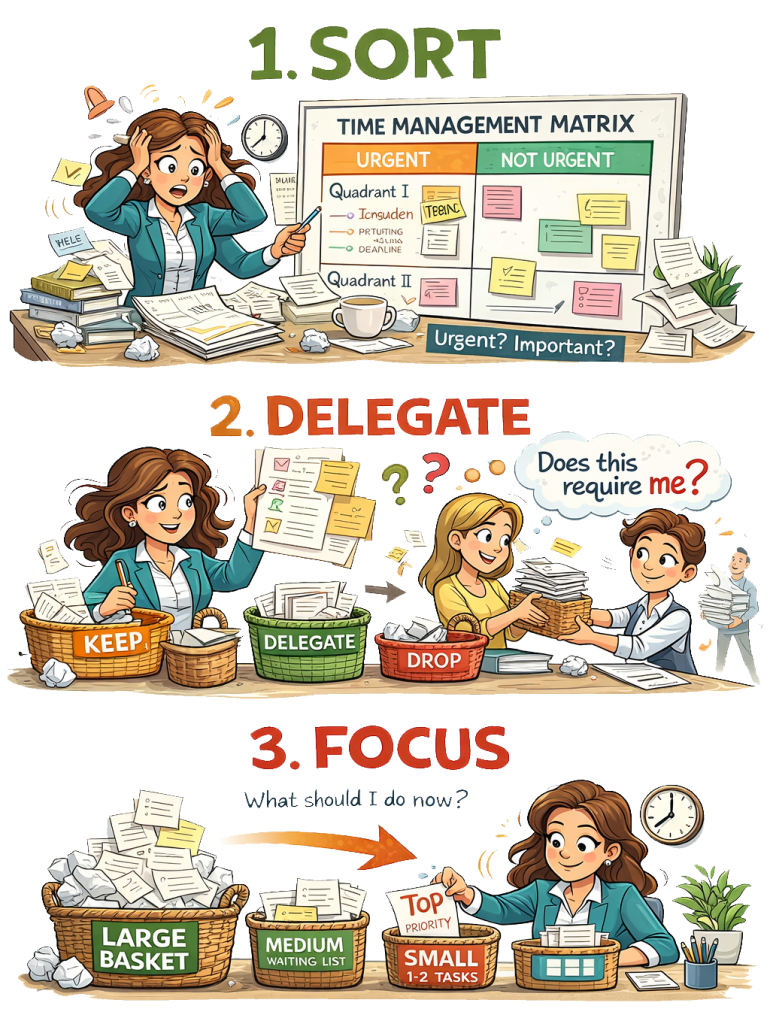
How to prioritise tasks when everything feels urgent is a question many people struggle with. When responsibilities accumulate, it often feels as if everything demands attention at once.
The problem is rarely the sheer amount of work alone. More often, it is the absence of a clear structure for deciding what matters, what can wait, and what does not belong to you at all.
The framework below combines three complementary tools:
- The Time Management Matrix — a system for sorting all activities according to urgency and importance.
- The Ownership / Delegation Filter — a way of identifying which tasks genuinely require your attention and which do not.
- The Three Baskets System — a practical method for handling the remaining urgent responsibilities without becoming paralysed by overload.
Used together, these tools transform a chaotic list of obligations into a manageable and psychologically sustainable workflow.
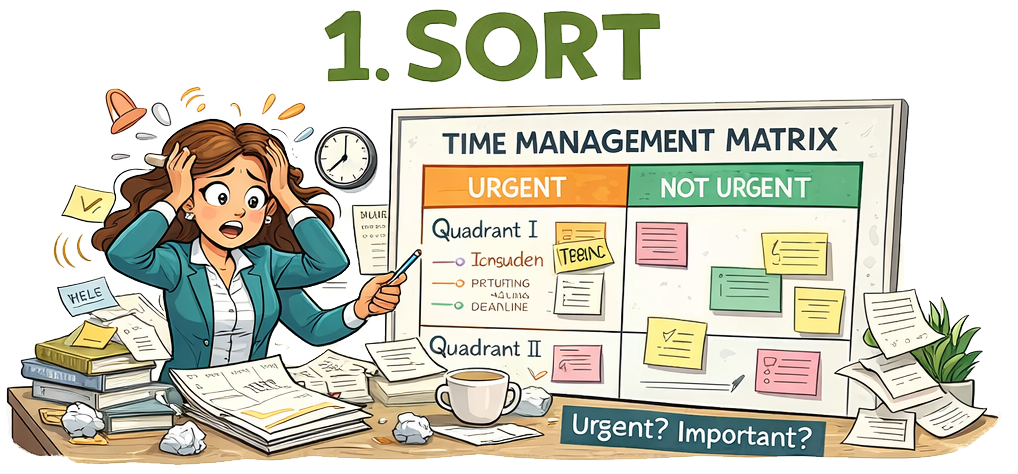 1. The Time Management Matrix: Understanding Urgency and Importance
The first step in regaining control is learning to distinguish between urgency and importance.
Urgent tasks demand immediate attention. They create pressure and often involve deadlines or immediate consequences.
Important tasks contribute to long-term goals, personal values, responsibilities, and stability.
This distinction was popularised in productivity research by Dwight Eisenhower and later expanded by Stephen Covey in The 7 Habits of Highly Effective People (Covey, 1989).
The matrix divides activities into four quadrants.
Quadrant I — Urgent and Important
The Crisis Zone
These tasks require immediate action and cannot be postponed without significant consequences.
Examples include:
- Paying an overdue bill to avoid penalties
- Preparing a presentation due tomorrow
- Handling a sudden work emergency
- Addressing a serious family or health issue
This quadrant represents real-life pressure points. Some degree of Quadrant I activity is unavoidable because life occasionally demands rapid response.
However, when too many responsibilities accumulate here, the result is constant crisis mode. Stress increases, decision-making becomes reactive, and energy is consumed by putting out fires rather than building stability.
Positive function of Quadrant I
- Responding effectively to genuine emergencies
- Demonstrating responsibility and reliability
- Handling unavoidable deadlines
The goal is not to eliminate this quadrant — that is impossible — but to keep it limited and manageable.
Quadrant II — Important but Not Urgent
The Growth and Prevention Zone
Quadrant II contains activities that are deeply important but do not yet demand immediate action.
Examples include:
- Learning new professional skills
- Planning future projects
- Building professional relationships
- Maintaining health and exercise
- Organising finances before problems arise
- Strategic thinking and long-term planning
This quadrant represents development, preparation, and prevention.
Research on proactive behaviour and organisational effectiveness consistently shows that individuals who invest time in planning and preventive activities experience fewer crises later (Grant & Ashford, 2008).
Neglecting Quadrant II has predictable consequences: many of its tasks gradually migrate into Quadrant I.
For example:
- Ignoring financial planning leads to financial crises
- Ignoring professional development leads to career stagnation
- Ignoring relationship maintenance leads to conflict
Positive function of Quadrant II
- Stabilising life before problems emerge
- Building competence and resilience
- Creating long-term progress
This quadrant is the primary stabilising force in the entire system.
Quadrant III — Urgent but Not Important
The Noise and Distraction Zone
Quadrant III contains tasks that feel urgent but do not significantly contribute to your goals or responsibilities.
Examples include:
- Constant email notifications
- Interruptions from others’ requests
- Administrative tasks that could be simplified
- Phone calls that are not essential
- Tasks that are urgent for someone else but not important for you
Psychologically, this quadrant creates the illusion of productivity. You remain busy, but the work often produces little meaningful progress.
However, Quadrant III cannot be eliminated entirely.
Positive function of Quadrant III
- Maintaining basic coordination and communication
- Handling necessary administrative work
- Supporting collaborative environments
The goal is not removal but containment.
Strategies include:
- Checking email two or three times per day rather than continuously
- Batching administrative tasks together
- Using AI tools to draft routine responses
- Filtering interruptions
Many activities in this quadrant can also be delegated, automated, or simplified.
Quadrant IV — Not Urgent and Not Important
The Escape or Recovery Zone
Quadrant IV is often labelled as the “time-wasting” quadrant.
Examples include:
- Mindless social media scrolling
- Passive entertainment used as avoidance
- Activities that consume time without intention
However, dismissing this quadrant entirely is misleading.
Human beings require periods of mental disengagement and recovery. Neuroscience research shows that cognitive restoration is necessary for sustained performance (Kaplan & Kaplan, 1989; Sonnentag & Fritz, 2015).
The key distinction is conscious versus unconscious use.
Unconscious use looks like:
- Escaping stress by scrolling endlessly
- Avoiding tasks through distraction
Conscious use looks like:
- Taking a short restorative break
- Strategic napping
- Relaxation practices
- Deliberate recreation
When used intentionally, Quadrant IV becomes a battery-recharging space rather than wasted time.
Quick Sorting Questions
Before placing a task in the matrix, ask:
-
If I do not do this soon, what will happen?
→ determines urgency. -
Does this significantly affect my goals, responsibilities, or stability?
→ determines importance. -
Is this really my responsibility?
→ leads to the delegation filter.
Time Management Matrix
(First step: Sort all tasks by urgency and importance)
| URGENT | NOT URGENT | |
|---|---|---|
| IMPORTANT | Quadrant I – Crises / Immediate Responsibilities Deadlines, urgent reports, serious problems, overdue payments, critical meetings.⚠ Risk: constant stress if too many tasks accumulate here. ✔ Purpose: necessary response to real-world pressures. |
Quadrant II – Growth / Planning / Prevention Learning, professional development, planning, relationship-building, health, preparation.✔ This is the most valuable quadrant for long-term stability. Neglecting it turns many tasks into future crises (Quadrant I). |
| NOT IMPORTANT | Quadrant III – Distractions / External Urgency Interruptions, many emails, other people’s urgent requests, reactive administration.✔ Necessary maintenance and coordination. ⚠ Should be minimised, delegated, batched, or automated where possible. |
Quadrant IV – Rest or Escape Mindless scrolling, passive entertainment, avoidance behaviours.⚠ Unconscious use wastes time. ✔ Conscious use can support rest, recovery, and mental reset. |
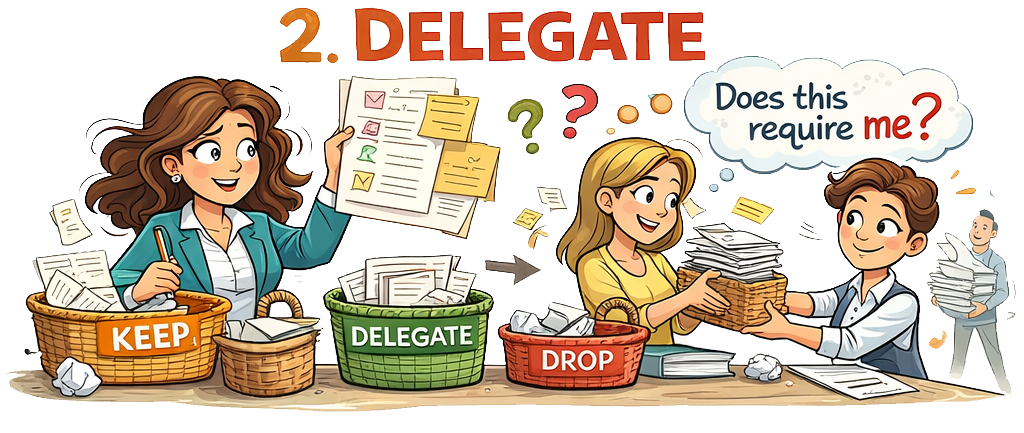
2. The Ownership and Delegation Filter
Once tasks are sorted into quadrants, a second question becomes essential:
Does this task actually require me?
Many people assume responsibility for tasks that do not truly belong to them. This creates unnecessary overload.
The delegation filter divides tasks into three categories.
Category A — Only I Can Do It
These tasks genuinely require your:
- judgement
- responsibility
- authority
- specific expertise
- personal presence
Examples might include:
- making strategic decisions
- conducting important meetings
- writing key professional material
- resolving sensitive issues
These remain under your responsibility.
Category B — Someone Else Can Do It
These tasks may still matter but do not require your direct involvement.
Examples include:
- routine administrative tasks
- basic scheduling
- shopping and household errands
- formatting documents
- drafting preliminary emails
- collecting information
Many of these tasks can be:
- delegated to colleagues or family members
- outsourced
- automated through software
- simplified or batch-processed
Delegation is often misunderstood as avoidance or weakness. In reality, it is a priority protection mechanism. It ensures that your limited time and cognitive resources remain focused on what genuinely requires your attention.
Category C — No One Needs to Do It Now
Some tasks persist only because they were once started, requested, or assumed to be necessary.
These should be examined critically.
Possible outcomes include:
- postponing them indefinitely
- eliminating them entirely
- questioning whether they matter
Overwhelm frequently arises not from workload alone but from unclear ownership boundaries.
Ownership & Delegation Filter Matrix
(Tool: “Does this really require me?”)
This tool helps the client remove unnecessary workload before prioritising.
Ownership Decision Table
| Task | Importance | Urgency | Who must do it? | Action |
|---|---|---|---|---|
| Example: Prepare important report | High | High | Only me | Do personally |
| Example: Routine emails | Low | Medium | Someone else / AI | Delegate or automate |
| Example: Weekly grocery shopping | Medium | Medium | Someone else possible | Share / batch |
| Example: Random requests from others | Low | Urgent for them | Not necessarily me | Decline or postpone |
Simple Delegation Filter
| Category | Meaning | Typical Examples | Recommended Action |
|---|---|---|---|
| A – Only I can do it | Requires your authority, judgement, responsibility or expertise | Key decisions, strategic work, important meetings | Keep |
| B – Someone else can do it | Important but does not require you personally | Admin tasks, scheduling, errands, formatting | Delegate / automate |
| C – No one needs to do it now | Activity without real consequence | Low-impact tasks, old commitments | Drop or postpone |
Quick Self-Check Questions
Before accepting a task:
-
Does this require my judgement or responsibility?
-
Would the result be acceptable if someone else did it?
-
What would happen if nobody did it this week?
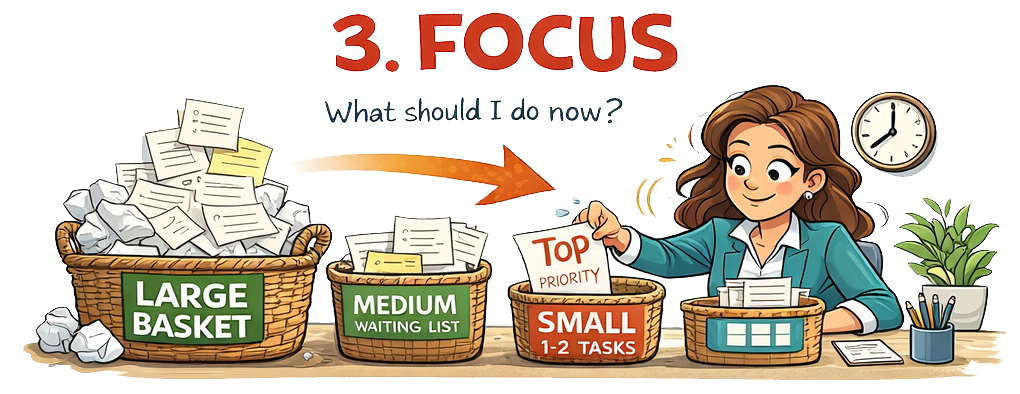
3. The Three Baskets System
Managing the Urgent and Important Workload
Even after filtering tasks through the matrix and delegation system, Quadrant I can still contain many responsibilities.
Seeing a long list of urgent tasks can create paralysis. When everything appears equally urgent, attention becomes fragmented and progress slows.
The Three Baskets System solves this problem by limiting how many tasks compete for attention at any given time.
Large Basket — The Full Inventory
All remaining urgent and important tasks are placed in the large basket.
This basket may contain dozens or even hundreds of items.
Its purpose is storage, not action.
The psychological benefit is simple: once tasks are safely stored, they no longer need to occupy constant mental attention.
Medium Basket — The Waiting Room
From the large basket, select up to five tasks that represent the next priorities.
These tasks are important but not yet active.
The medium basket functions as a short-term waiting list.
Small Basket — The Active Work Zone
Only one or two tasks move into the small basket.
These tasks represent the only work currently in progress.
You focus exclusively on completing them.
When one task is finished:
- It leaves the small basket.
- Another task moves from the medium basket into the small basket.
- When the medium basket drops below five tasks, it is replenished from the large basket.
Why the Basket System Works
Psychological research on attention and decision-making provides several explanations.
Too many priorities eliminate the concept of priority.
Humans have limited working memory and decision capacity (Miller, 1956; Kahneman, 2011). When faced with dozens of competing tasks, the brain repeatedly re-evaluates options, producing decision fatigue.
Unsorted tasks also create background cognitive load, which reduces concentration and increases stress.
Reactive task-switching fragments attention and slows completion.
By limiting active focus to one or two tasks, the basket system restores:
- clarity
- sustained attention
- visible progress
The system is therefore not merely organisational. It protects mental energy, cognitive clarity, and emotional regulation.
Three Baskets Priority System
(Tool for managing Quadrant I tasks)
This tool reduces overwhelm when too many urgent responsibilities exist.
The Three Baskets Structure
| Basket | Capacity | Function | What goes here |
|---|---|---|---|
| Large Basket | Unlimited | Storage of all urgent/important tasks | Full inventory of tasks |
| Medium Basket | Maximum 5 tasks | Waiting list | Next priorities |
| Small Basket | 1–2 tasks | Active work | Only tasks currently being executed |
4. Practical Implementation
Step 1 — Capture Everything
Write down all current responsibilities:
- work tasks
- household obligations
- unfinished items
- administrative duties
- ongoing concerns
The goal is to remove them from your head and place them on paper.
Step 2 — Sort by Quadrant
Place each item into one of the four quadrants of the Time Management Matrix.
Step 3 — Apply the Ownership Filter
For each task ask:
- Is this truly important?
- Is it truly urgent?
- Does it actually require me?
- Can it be delegated, automated, simplified, or removed?
Step 4 — Create the Large Basket
Place all genuine Quadrant I tasks that genuinely require you into the large basket.
Step 5 — Create Medium and Small Baskets
Choose:
- up to five tasks for the medium basket
- one or two for the small basket
Work only on the small basket.
Step 6 — Protect Quadrant II
Deliberately schedule time for learning, planning, and preparation.
Protecting this quadrant reduces future crises.
5. Practical Examples
Replying to emails
Often Quadrant III.
Solution: check email two or three times per day and batch responses.
Preparing an important meeting
Quadrant I if the deadline is imminent.
Quadrant II if preparation can begin early.
Paying an overdue bill
Quadrant I.
Learning a new professional skill
Quadrant II.
Scrolling social media when exhausted
Quadrant IV if unconscious.
Healthy rest if consciously limited.
Arranging childcare
Often Quadrant I in the short term but may move to Quadrant II through better planning.
Shopping and cooking
Important but often delegable or batch-processable.
Weekly meal preparation can reduce daily urgency.
Planning the week
Quadrant II — preventive work that stabilises the rest of the system.
Interruptions and requests
Usually Quadrant III unless linked to major responsibilities.
6. Managing Email and Interruptions
Constant digital interruptions significantly reduce productivity.
Studies show that task switching can reduce efficiency by up to 40% (Rubinstein, Meyer & Evans, 2001).
Practical strategies include:
- checking email only 2–3 times daily
- disabling non-essential notifications
- using AI tools to draft responses
- batching administrative tasks together
- protecting uninterrupted work periods
Many incoming requests are urgent for others but not necessarily important for you.
7. The Deeper Principle
When everything feels urgent, the problem is rarely workload alone.
More often it reflects:
- absence of clear structure
- blurred ownership boundaries
- confusion between pressure and genuine priority
The objective is not to do everything.
The objective is to:
- know what truly matters
- know what genuinely belongs to you
- know what must wait
- know what can be delegated
- know what deserves no further energy
Once these distinctions become clear, overwhelm begins to dissolve. What remains is a manageable sequence of decisions — and steady progress through them.
Related article: The Three Circles: A Practical Guide to Regaining Clarity 
If you need support contact us via 